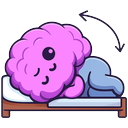
If you have BPPV and your clinician has shown you a repositioning maneuver, you can run it from VertigoMe while a spin is happening. The session is then linked to that spin, so your log shows what you did and how it went.
Only the three repositioning maneuvers are offered here: Epley maneuver, Semont maneuver and BBQ roll maneuver. The home exercises and gaze training are not, because they are for calmer days.
From the spin timer
- On Home, tap Spin on the Quick log strip. The spin starts timing straight away.
- Tap Do a guided exercise.
- Pick the maneuver, choose the ear and tap Start guided run.
- When the round ends, rate how helpful it was. If you are still spinning, tap Still spinning — go again (up to three rounds).
- When the spin has passed, tap Spin has stopped — complete the log. The spin is ended and the log opens, with the exercise already on it.
From a spin log
- On the Log tab, tap Log Spin.
- On the Timing step, tap Exercises.
- Run the maneuver as above.
- When you finish, tap Back to the log. The exercise is added to the log. It is only kept once you tap Save spin log at the end.
Stay safe
- Only do a maneuver you have been shown or advised to do, on the ear your clinician identified.
- During a strong spin, sit or lie somewhere safe first. Have someone with you if you can.
- Tap STOP at any time. Stay where you are, breathe, and sit up slowly when the spinning settles.
- Get urgent medical help if the spin comes with a new severe headache, trouble speaking, weakness, numbness, double vision or sudden hearing loss.